
How to Automate Recurring Questionnaires: 4 Steps for DDQs and Security Questionnaires
If you work as a third party supplier to banks, asset managers, insurers, or other regulated businesses, you already know the rhythm. Every quarter, sometimes every month, a Due Diligence Questionnaire or security questionnaire lands in your inbox, and someone on your team has to drop what they're doing to answer it. These recurring questionnaires exist to confirm that your business still meets the legal, operational, and security standards your client agreed to when the relationship started, and skipping or rushing them is not an option.
The two most common types are Due Diligence Questionnaires, which document how your business operates and stays compliant with the standards your client expects, and security questionnaires, which dig into your cybersecurity posture, data handling, and technical controls. Today's standardized formats make the volume more manageable than it used to be. ILPA's DDQ 2.0 framework, used across an estimated 87 percent of private equity due diligence requests according to industry research, has been extended with new modules for private credit, real estate, and infrastructure, plus a joint climate module released with the Principles for Responsible Investment in 2025. On the security side, the Shared Assessments SIG questionnaire has added mappings to ISO 42001 for AI governance and deeper NIST 800-171 controls in its 2026 release. The frameworks keep evolving. What does not change is the operational burden of answering the same categories of questions, repeatedly, with information that has to be both current and consistent across every response your company sends out.
That repetition is exactly what makes recurring questionnaires a strong candidate for automation. Below are four steps that consistently reduce the time and risk involved, drawn from how proposal and compliance teams in regulated industries actually run this process.
Step 1: Keep an up to date content library
A thorough DDQ or security questionnaire touches nearly every department in your business, from legal and finance to IT and HR. That means you need a reliable way to pull knowledge out of those departments and into one place. A centralized content library turns scattered answers into a reusable resource, so your team is not rebuilding the same response from scratch every quarter.
Building the library is the easy part. Keeping it accurate over time is the real challenge. One practical fix is setting expiration dates on content, so the system flags information for review before it goes stale rather than after a client catches the error. Your subject matter experts are the backbone of this library, since they hold the operational knowledge that the rest of the business depends on. Setting up short, regular review cycles for SME owned content keeps the information fresh without burying your experts in requests they cannot keep up with.
For more on structuring this kind of review cadence, our guide on SME workflows for proposal teams covers how to balance accuracy against SME bandwidth.
Step 2: Make content easy to find
A well organized library only helps if your team can actually navigate it under deadline pressure. The structure should match how your business naturally divides its knowledge, whether that is by department, product line, or compliance domain, and it should hold up as the library grows from dozens of entries to thousands.
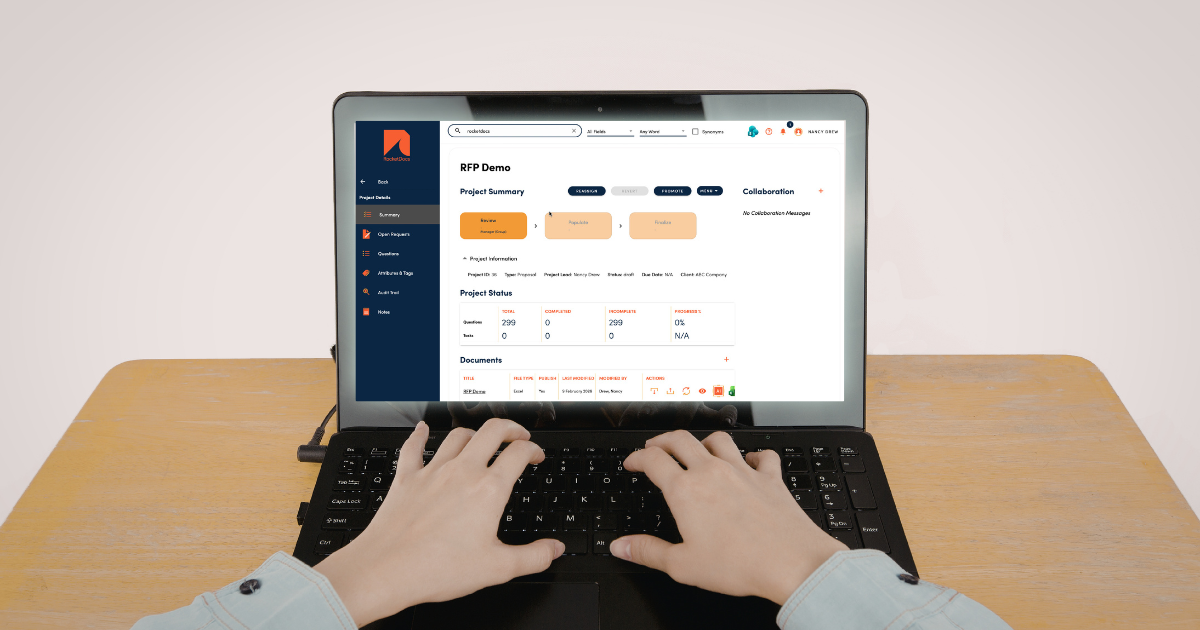
Search matters as much as structure. An intelligent search function lets your team retrieve an answer with a few keywords instead of scrolling through folders, which becomes essential once a library reaches any real size. Tagging content by topic, such as marking every entry related to cybersecurity or data encryption, lets your team filter directly to the relevant section of a security questionnaire instead of hunting question by question.
Step 3: Establish an approval workflow
Because DDQs and security questionnaires repeat on a fixed schedule, it is easy for an outdated answer to slip through unnoticed quarter after quarter. A defined approval workflow, where a manager or subject matter expert reviews the completed response before it goes out, catches those errors before your client does.
| Workflow stage | Owner | Purpose |
|---|---|---|
| Draft response | Proposal or compliance analyst | Pull content from the library and answer each question |
| SME review | Subject matter expert | Confirm technical or departmental accuracy |
| Final approval | Manager or compliance lead | Sign off before submission |
| Library correction | Content owner | Update the source content if an error was found |
A mistake in a questionnaire response creates a bad impression at minimum, and at worst it creates legal exposure for your company. If an error in a submitted response traces back to outdated content in your library, correct the library entry at the same time you correct the response, or the same mistake will resurface next quarter. Our guide on managing RFP content walks through building that kind of closed loop review process in more detail.
Step 4: Use software built for recurring questionnaires
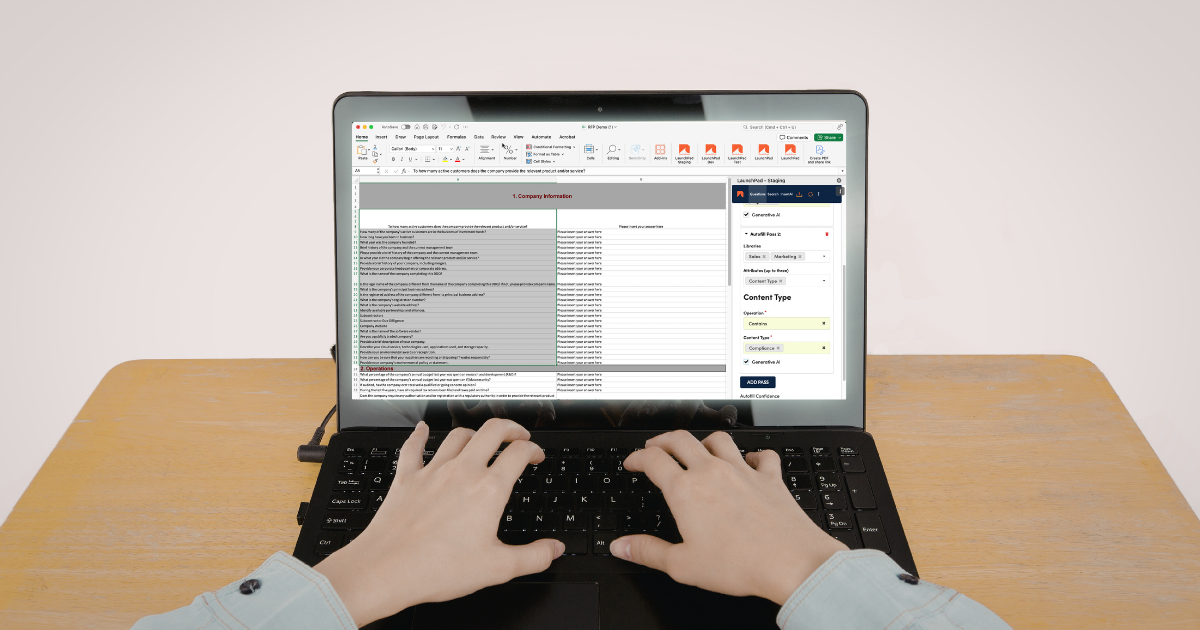
DDQs and security questionnaires are repetitive by design, which makes them a strong fit for purpose built software rather than manual copy and paste work. Look for a platform that updates questions to your most recent approved responses automatically, rather than requiring someone to re-check every answer by hand each cycle.
Working natively inside Microsoft Word and Excel matters more than it might seem. If your team drafts a response in one tool and has to reformat it for submission in another, that is where formatting errors creep in right before a deadline. A platform that lets you draft and submit in the same file format removes that risk entirely.
RocketDocs was built around this exact workflow. LaunchPad lives directly in your Word and Excel toolbar, so your team works in the applications they already use rather than switching into a separate portal. Autofill pulls from your content library to populate question responses automatically, based on the criteria and confidence level you set, cutting out the manual search and paste cycle entirely. And because your library stays connected to every response you have submitted, updating a single source entry keeps future responses aligned without re-touching old documents one by one. You can see how this looks in practice on our DDQ completion and security questionnaire solution pages.
Why this matters more in 2026
Questionnaire standards are not static. ILPA's DDQ 2.0 framework added modules for private credit, real estate, and infrastructure managers in 2025, and the Shared Assessments SIG questionnaire's 2026 release introduced mappings to ISO 42001 for AI governance alongside deeper NIST 800-171 coverage. Each update adds new questions your content library needs to answer, which means a library that was thorough last year may have gaps today. Building the four habits above, an accurate library, easy search, a real approval workflow, and the right software, means your team adapts to framework updates by adding content rather than rebuilding the process from scratch.
If you are looking for a platform built specifically to automate DDQ and security questionnaire responses, you can book a free RocketDocs demo to see Autofill and LaunchPad in action.
Looking for the platform behind this? See the RocketDocs platform or book a demo.


